
Key Specifications Every Streamer Should Look for in Gaming Laptops
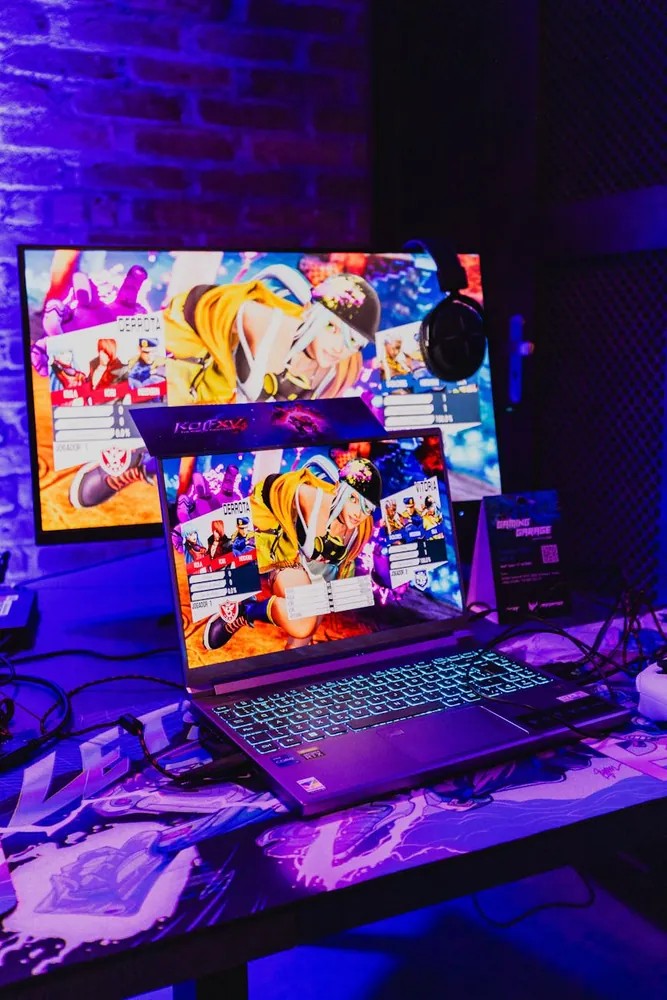
Performance Benchmarks: Powering Your Streaming Needs
When it comes to streaming, one of the most critical specifications in a gaming laptop is its performance capabilities. Performance is largely determined by the CPU, GPU, and RAM, each playing a unique role in ensuring smooth streaming experiences.
CPU: The Brain of Your Laptop
The Central Processing Unit (CPU) is responsible for executing commands and running programs. For streamers, a multi-core processor is essential as it allows the system to handle multiple tasks simultaneously, such as gaming and streaming without hiccups. Popular choices include Intel's Core i7 and i9 series or AMD's Ryzen 7 and 9, which offer impressive multi-threading performance.
- Pros: High-performance CPUs like the Intel i9 or Ryzen 9 can significantly enhance multitasking capabilities, crucial for streamers running multiple software applications simultaneously.
- Cons: More powerful CPUs tend to consume more power and generate more heat, necessitating better cooling solutions.
Tip: If you're just starting out with streaming and budget-conscious, an Intel i5 or Ryzen 5 may suffice; however, they might struggle with intensive multitasking compared to their higher-end counterparts.
GPU: Graphics Powerhouse
Graphics Processing Units (GPUs) render images and videos, making them vital for gamers and streamers alike. A robust GPU ensures that your games run smoothly at high resolutions while encoding streams efficiently. NVIDIA’s RTX series or AMD’s Radeon RX series are currently favored among streamers for their superior performance.
- Pros: GPUs like NVIDIA's RTX series not only provide great graphics rendering but also leverage hardware-based encoders for smoother streaming.
- Cons: High-end GPUs increase the overall cost of the laptop and often require more power, reducing battery life.
Workflow: Pairing a strong GPU with compatible software like OBS Studio can help offload some tasks from the CPU, balancing the workload more effectively.
RAM: Multitasking Made Easy
Random Access Memory (RAM) allows your laptop to manage multiple applications simultaneously. Streamers should aim for at least 16GB of RAM to prevent lag during broadcasts, though 32GB is ideal for more demanding tasks.
- Pros: More RAM helps in managing large files and multiple applications at once without slowing down your system.
- Cons: Upgrading RAM beyond 32GB provides diminishing returns for most streaming needs.
Advice: Ensure that the laptop allows for RAM upgrades, as this can be a cost-effective way to enhance performance in the future.
Cooling Systems: Keeping Your Laptop Chill
The demands of streaming can heat up your laptop quickly, making an efficient cooling system essential. Overheating not only impacts performance but also can lead to hardware damage over time.
Active Cooling vs. Passive Cooling
Laptops use either active or passive cooling systems. Active systems involve fans that actively dissipate heat, whereas passive systems rely on natural heat dissipation.
- Active Cooling Pros: Fans actively manage heat and can quickly reduce high temperatures generated during intense gaming and streaming sessions.
- Active Cooling Cons: They can be noisy and often lead to a bulkier laptop design.
- Passive Cooling Pros: Silent operation and often result in a sleeker design since there are no moving parts.
- Passive Cooling Cons: Less effective during high-load scenarios, potentially leading to throttling.
Recommendation: For streamers who engage in prolonged gaming sessions, a laptop with an advanced active cooling system like vapor chamber technology is recommended to ensure stable performance without overheating.
User Maintenance Tips
Regular maintenance of the cooling system is crucial. Dust accumulation can hinder airflow, so periodic cleaning of vents and fans will help maintain optimal cooling efficiency.
Ergonomic Designs: Comfort for Extended Use
The ergonomic design of a laptop significantly affects a streamer's comfort during long sessions. From keyboard layout to screen positioning, several factors contribute to a comfortable streaming setup.
Keyboard Design
A comfortable keyboard design is vital for streamers who type frequently while managing their streams. Features like backlit keys and customizable macro keys can enhance usability.
- Pros: Backlit keyboards improve visibility in low-light environments, and macro keys allow quick access to complex commands or shortcuts.
- Cons: Some gaming laptops have compact layouts that may require an adjustment period for users familiar with full-sized keyboards.
Example: Brands like Razer and ASUS offer customizable RGB lighting on their keyboards, allowing streamers to personalize their setup aesthetically while improving functionality.
Display Considerations
A high-quality display not only enhances gaming visuals but also reduces eye strain during long hours. A resolution of at least 1080p is recommended, with IPS panels providing better color accuracy and viewing angles.
- Pros: High refresh rates (120Hz or above) improve the fluidity of motion on screen, which is beneficial for fast-paced games.
- Cons: Higher resolution displays can significantly reduce battery life due to increased power consumption.
Consideration: When setting up your streaming environment, consider using external monitors for better ergonomics and multitasking capabilities.
Sustainability: An Emerging Priority
Sustainable design practices are becoming increasingly important in tech purchases. Streamers who value eco-friendliness might prioritize brands offering laptops made from recycled materials or those that implement energy-efficient technologies.
- Pros: Supports environmentally conscious practices and often come with improved energy-saving features that extend battery life.
- Cons: May limit choices as not all manufacturers have embraced sustainable practices yet.
The Verdict: Balancing Specifications with Needs
Selecting the right gaming laptop as a streamer involves weighing various specifications against personal preferences and needs. While high-performance components are crucial for handling resource-intensive tasks, don't overlook the importance of a well-cooled, ergonomic design that can sustain prolonged usage comfortably.
Merging Performance with Budget
The decision ultimately comes down to balancing performance needs with your budget constraints. Investing in a model with upgradeable components allows future-proofing without immediate overspending.
- If you're starting out as a streamer and plan on mostly playing less graphically intense games, opting for mid-range options with potential upgrade paths could be wise.
The Future of Streaming Laptops
The streaming industry continues to grow rapidly, and so does the technology supporting it. Keep an eye on emerging trends such as AI-enhanced streaming optimization tools and improved integration with streaming platforms as you consider your purchase.