
Exploring Different Methods to Utilize Smart Assistants Effectively
The Role of Smart Assistants in Modern Life
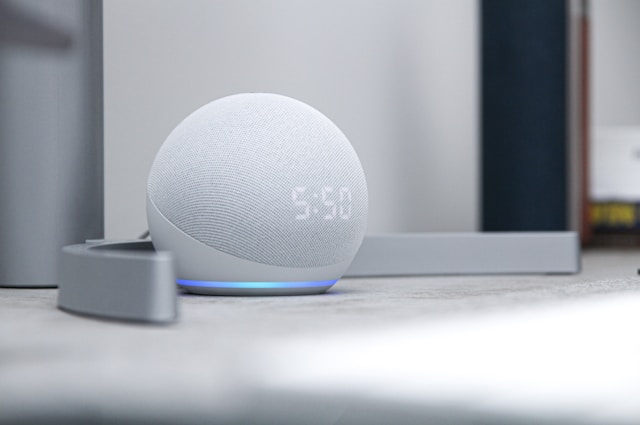
Smart assistants have quickly transitioned from novel gadgets to essential components of our daily lives. Devices such as Amazon Alexa, Google Assistant, and Apple's Siri are now seamlessly integrated into homes and offices, providing convenience and efficiency that were unimaginable a few decades ago. By learning how to effectively use these smart assistants, users can enhance their productivity and streamline numerous daily tasks.
Setting Reminders: Never Miss an Important Task
One of the fundamental functions of smart assistants is the ability to set reminders. Whether you need to remember a meeting, medication schedule, or even mundane tasks like taking out the trash, smart assistants can handle it all. Here's a simple way to use them for setting reminders:
- Voice Commands: Simply say, "Hey [Assistant], remind me to [task] at [time]." The assistant will confirm the task and time, ensuring you never forget important responsibilities.
- Calendar Integration: For more complex scheduling, integrate your smart assistant with your calendar. This way, reminders can be set automatically based on your calendar events.
- Location-Based Reminders: Use location-based commands like "remind me to pick up groceries when I leave work," allowing the assistant to notify you based on your GPS location.
By efficiently utilizing reminders, you reduce the cognitive load of remembering tasks, thus freeing up mental space for more creative and strategic thinking.
Controlling Smart Home Devices: A Unified Ecosystem
The modern smart home is a marvel of connectivity and automation, and smart assistants are at the heart of it all. From controlling lights and thermostats to managing security systems, here's how you can create a unified ecosystem:
Integration with Smart Devices
Most smart devices are compatible with major assistants. Here's a step-by-step guide to get started:
- Select Compatible Devices: Ensure that any new device you purchase supports integration with your chosen assistant.
- Use the Companion App: Connect devices through the assistant's companion app. This often involves adding the device via Wi-Fi or Bluetooth.
- Create Routines: Set up routines that automate sequences, such as "Good Night," which turns off lights and locks doors with one command.
Practical Examples
Imagine waking up in the morning and saying, "Good Morning." Your assistant responds by gradually raising the lights, turning on your coffee maker, and providing a weather update. This is not just futuristic fantasy; it's achievable with today’s technology!
Optimizing Personal Productivity
A lesser-known but highly effective use of smart assistants is in optimizing personal productivity. Here are some innovative ways to boost efficiency:
Email Management
Set your assistant to check and read out emails while you prepare breakfast. Use commands like "Delete," "Archive," or "Reply" without needing to touch a screen.
Time Management
Use your assistant to time-block your day. For instance, say "Schedule focus time from 9 AM to 11 AM," helping you maintain an uninterrupted work session.
Task Lists
Create a to-do list verbally with commands such as "Add [task] to my to-do list," and access it on any synced device.
The Future of Smart Assistants
With AI continuously advancing, smart assistants will become even more intuitive and personalized. They will not only anticipate needs but also proactively suggest ways to optimize various aspects of our lives based on learned behaviors and preferences.
Security and Privacy Considerations
While integrating smart assistants into daily life offers many advantages, it is vital to consider security and privacy:
- Regular Updates: Keep all software updated to protect against vulnerabilities.
- Enable Two-Factor Authentication: For accounts linked with your smart assistant, ensure maximum protection by enabling two-factor authentication.
- Review Permissions: Regularly check app permissions and ensure you're comfortable with data sharing settings.
A Mini-Framework for Efficient Smart Assistant Use
Implementing a structured approach ensures you maximize the benefits of your smart assistant. Here's a reusable framework:
- Assess Needs: List daily tasks that could be automated or simplified with a smart assistant.
- Select Devices: Choose devices that integrate smoothly within your current ecosystem.
- Create Workflows: Develop routines and workflows for typical scenarios (morning routine, leaving home).
- Test and Iterate: Continuously refine these processes by testing new commands or setups as needed.
This framework ensures a personalized setup that grows with your evolving needs.